The specification is the wish list, the orchestrator is the workshop master, the agents are the workers. People decide what and how; the agents do the work in between, autonomously, not steered step by step. The domain expert and the software engineer stay in the workshop.
Owns the requirements, use cases, and glossary. Sets a use case to Approved, answers the open questions, and signs off the acceptance.
Owns the architecture, the ADRs, the stack file, and the harness. Reviews and merges the Werkstatt pull request and tunes the harness when the first-pass rate drops.
Selection, order, gates, retries, and budgets: a reusable GitHub Actions workflow of the marketplace, called by a small stub in your repository.
Code and tests for one use case. Every station is its own headless Claude Code session with aiup-core and the layer plugins your stack file names.
Specification, code, and tests of a change live on the same branch and reach the default branch in one pull request. So the default branch never holds a specification without its code, and the two never drift apart.
Every use case goes through the same stations, from left to right. Only two loops go back: a failed gate goes to a fix round, and a gap in the specification goes to a person. Everything in between is automatic.
A station does work; a gate only checks. Between the stations sit six gates, G1 to G6, numbered in the order they run. Each answers one yes-or-no question, and none of them takes an agent's word for it: a gate is a script, a build command, or an audit whose verdict is verified in code. A use case moves on only when the gate says yes.
Before any code is written, the spec lint of /spec-review checks the use case: ids, links, format, weak words. It also checks that no blocking open question holds the use case. A plain script, no AI. If it fails, the use case is blocked: no code, only the findings go back to the domain expert.
After implementation and tests, the Build command of the stack file runs: the code compiles, the migrations run, code generation works. A red build goes to a fix round.
All tests that the Unit tests and Integration tests commands of the stack file run must pass, the new ones written from the specification included. A red test goes to a fix round.
What your build enforces, such as ArchUnit rules for the architecture, plus the lane guard: the implementer may not change tests, the tester may not change production code, and no station may change the specification. A violated rule goes to a fix round; a crossed lane is reverted.
A read-only coverage audit maps every main success scenario step, alternative flow, and business rule to code and a test. Its verdict of complete is verified in code before it counts. A gap in the code goes to the implementer, a gap in the tests to the tester.
At most max_rounds fix rounds (default 4) and max_cost_usd (default 15 USD) per use case. When the budget is spent, the use case is stuck: the code is dropped and kept as a diff in the run records, so nothing half-done reaches the pull request.
| Station or gate | What runs | On failure |
|---|---|---|
| G1 Spec lint | spec_lint.py of /spec-review for the use case (ids, links, format, weak words), plus its blocking open questions. No language model involved | Blocked: only the findings reach the pull request |
| Implement | /use-case-implement across the layers of the stack file, with the specification diff against the merge base with the default branch | – |
| Test | /use-case-test in a fresh session, with the same specification diff. A test that disagrees with the code stays red | – |
| Open questions | After every agent station: spec_lint.py --questions, then the blocking open questions of the use case | Blocked |
| G2 Build | The Build command of docs/architecture/stack.md: compiles, migrations run, code generation works | Fix round |
| G3 Tests | The Unit tests and Integration tests commands of the stack file: every test is green | Fix round |
| G4 Harness | What the build enforces, such as ArchUnit rules, plus the lane guard | Fix round; a crossed lane is reverted |
| G5 Spec coverage | The read-only coverage agent: every main success scenario step, alternative flow, and business rule needs code and a test. A verdict of complete is verified | Code gap: fix round. Test gap: test round |
| G6 Budget | At most max_rounds fix rounds (default 4) and max_cost_usd (default 15 USD) per use case | Stuck: the code is dropped and kept as a diff in the run records |
Implementer, tester, and auditor each run as their own Claude Code session. The tester and the auditor read the specification, not the implementer's reasoning: a test written by the agent that wrote the code tends to confirm the code. So the specification stays the oracle, and no agent grades its own work.
A session that fails, a rejected key, an unknown model, a rate limit, is started once more. A second failure ends the use case stuck, whatever the build says about the unchanged code.
A red build goes to the implementer first, with the build log and the specification diff, to change production code only. When the build is still red after that, the tester gets the new log in the same round and repairs the tests that do not compile or that contradict the specification; a test that follows the specification stays failing. Both steps count as one round.
A gap the audit finds in the code goes to the implementer, a gap in the tests to the tester. The audit reports every gap in one pass, and a later audit re-checks the previous matrix row by row, so the rounds are not spent one gap at a time.
The audit's verdict moves a use case to Tested, so it is checked in code, not taken on the agent's word. The audit runs with a recorded tool log, and the Werkstatt verifies three things: the coverage matrix has a row for every step, alternative flow, and business rule of the specification, none of them missing or partial; the log shows that the auditor read the specification; and every file the matrix cites was actually opened.
When a check fails, the audit runs once more in the same round with the findings; it costs no fix round, because a faulty audit is no gap in the code. When that verdict cannot be verified either, the use case moves to Implemented, which claims a green build and nothing more. Failing toward stuck would drop working code for a fault of the audit; failing toward Tested would be the very claim the check exists to prevent.
When a station meets a gap in the specification, it does not guess. It records a blocking open question in docs/open_questions.md, and the Werkstatt stops the use case.
The Werkstatt does not ask the agent whether it got stuck. After every station it reads docs/open_questions.md, the file every skill already writes, and the check is deterministic. A question counts when it is Open or Answered, marked Blocking, and names the use case (UC-003, a step, an alternative flow, or a business rule) or a requirement the use case links.
Before that, spec_lint.py --questions checks the file itself. A malformed question would be read as blocking by no parser, so an error there blocks the use case too.
A blocked use case contributes only its questions to the pull request: half-built code is no proposal, and untracked files are dropped as well. The domain expert answers the question in the change branch and updates the use case. Its status is still Approved, so the next run builds it again from the answered specification.
In the AI Unified Process Studio, a blocked use case links straight to its open questions in the open questions editor.
Each station stays in its lane, and no station may change what judges it. What crosses the line is reverted and listed in the pull request, so a drifting skill shows up in review instead of failing the run.
The Werkstatt keeps no state of its own between runs. It selects the use cases that changed on the branch and are Approved, and moves a finished one to Tested in the same pull request as its code: forward only, in the language of the specification. After the merge it is not selected again; a blocked, stuck, or pending one is still Approved and is.
| Outcome | Meaning | What the pull request carries |
|---|---|---|
| ready | All gates green | Code, tests, status Tested (Implemented when the stack has no coverage audit or its verdict could not be verified), the derived status of the linked requirements, and the use case's new colour in the use case diagram |
| blocked | Spec lint errors, a blocking open question, or an open questions file the lint rejects | Only the new open questions |
| stuck | Still red after the fix rounds, over budget, a session that failed twice, or the run's time was up | Nothing of this use case; its code is kept as a diff in the run records |
| pending | Not built, because an earlier use case of the run stopped | Nothing; it is built in the next run |
| skipped | Not built, because the use case is not Approved, also when its id was given by hand | Nothing; the reason names its status |
Use cases run in id order, and the run stops at the first one that is not ready, because later use cases of the same change may build on it. The stations stop ten minutes before the run's time limit, so the pull request is still opened: the use case still running ends stuck, and the ones before it keep their result.
The requirements and the use case diagram follow the status in the same commit, so /spec-review finds no drift between a use case at Tested and its requirements still at Open.
The pull request names the commit the gates ran on. A commit pushed to it afterwards is covered by none of them: the status Tested claims the commit the Werkstatt built, so run the Werkstatt again after a change.
The run records travel as a build artifact: a summary per use case, a metrics line per station (round, exit code, cost, seconds), the build logs, the lint output, and the coverage matrix. The first-pass rate, the share of use cases ready without a fix round, shows whether a problem sits in the specification or in the harness.
The Studio sets up the Werkstatt together with AI generation and starts it on the branch you work on. Nobody has to know a workflow command.
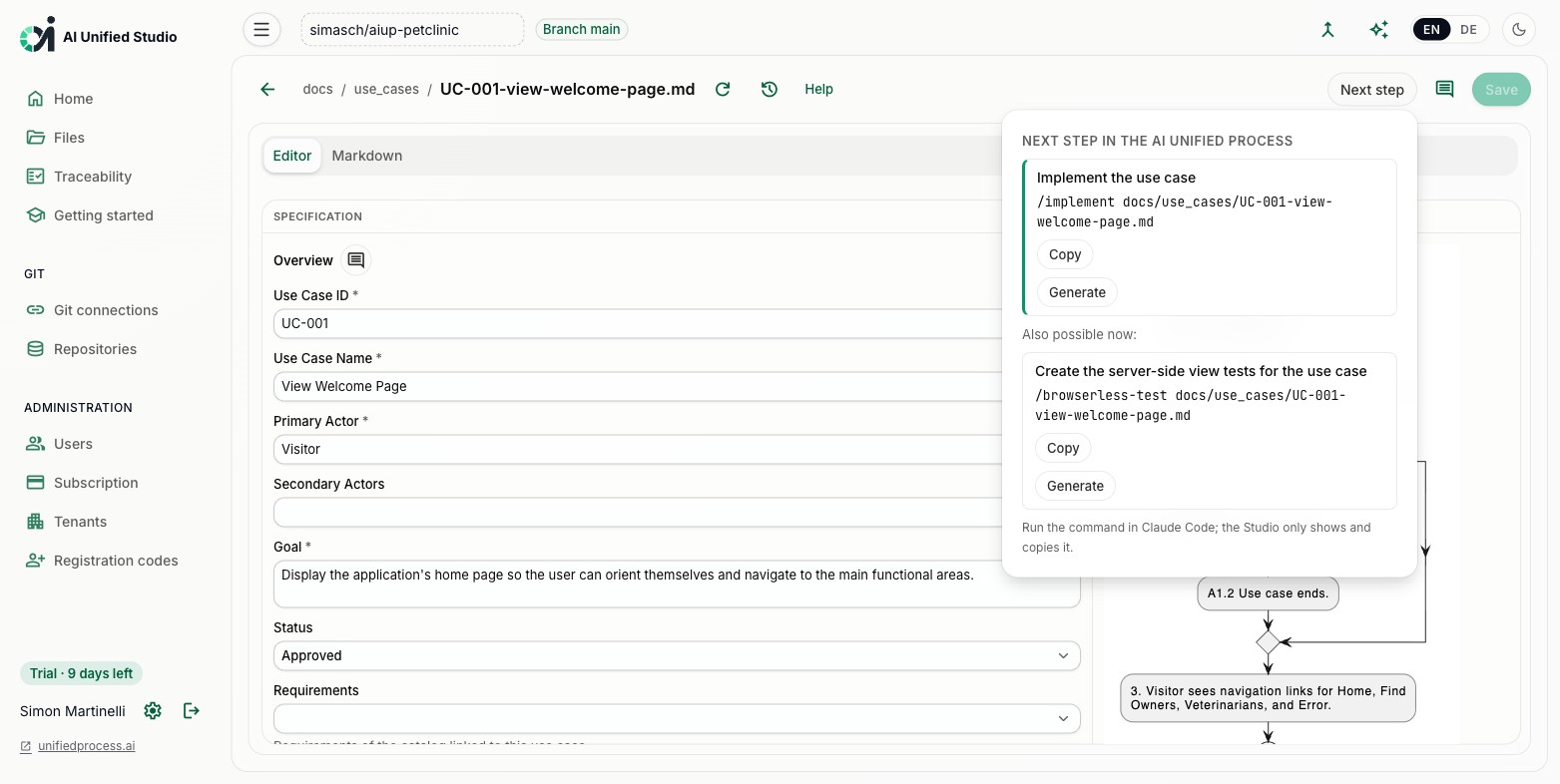
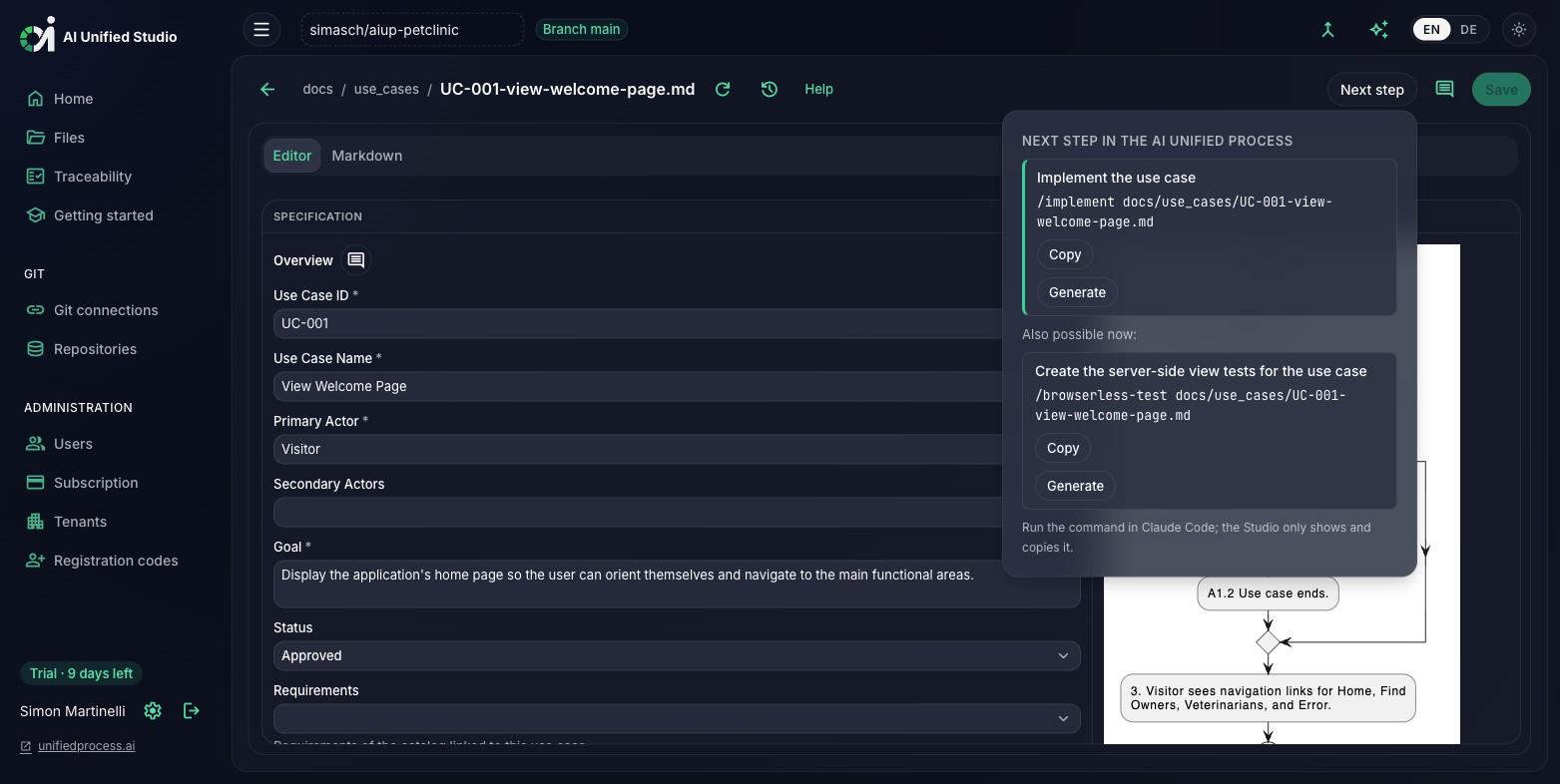
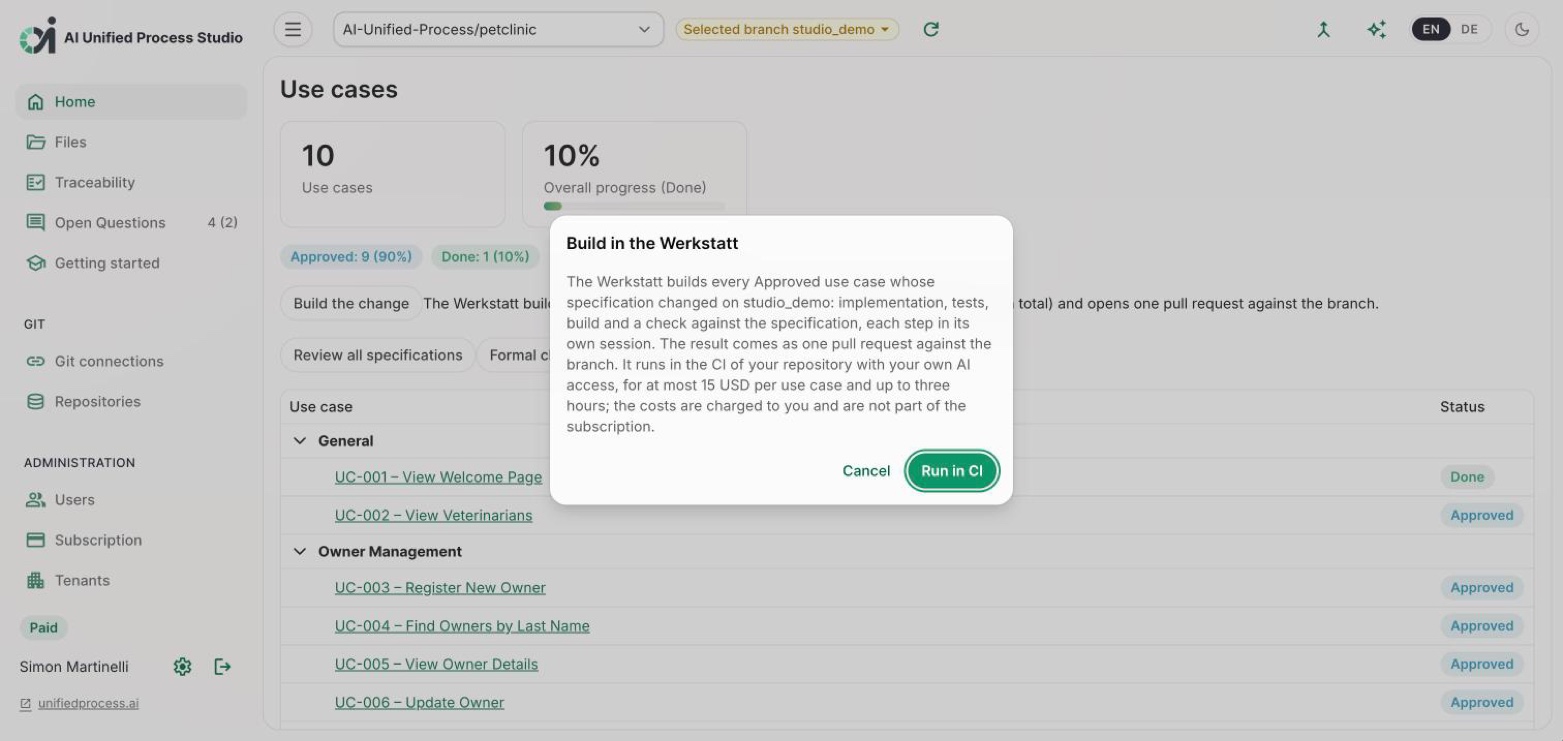
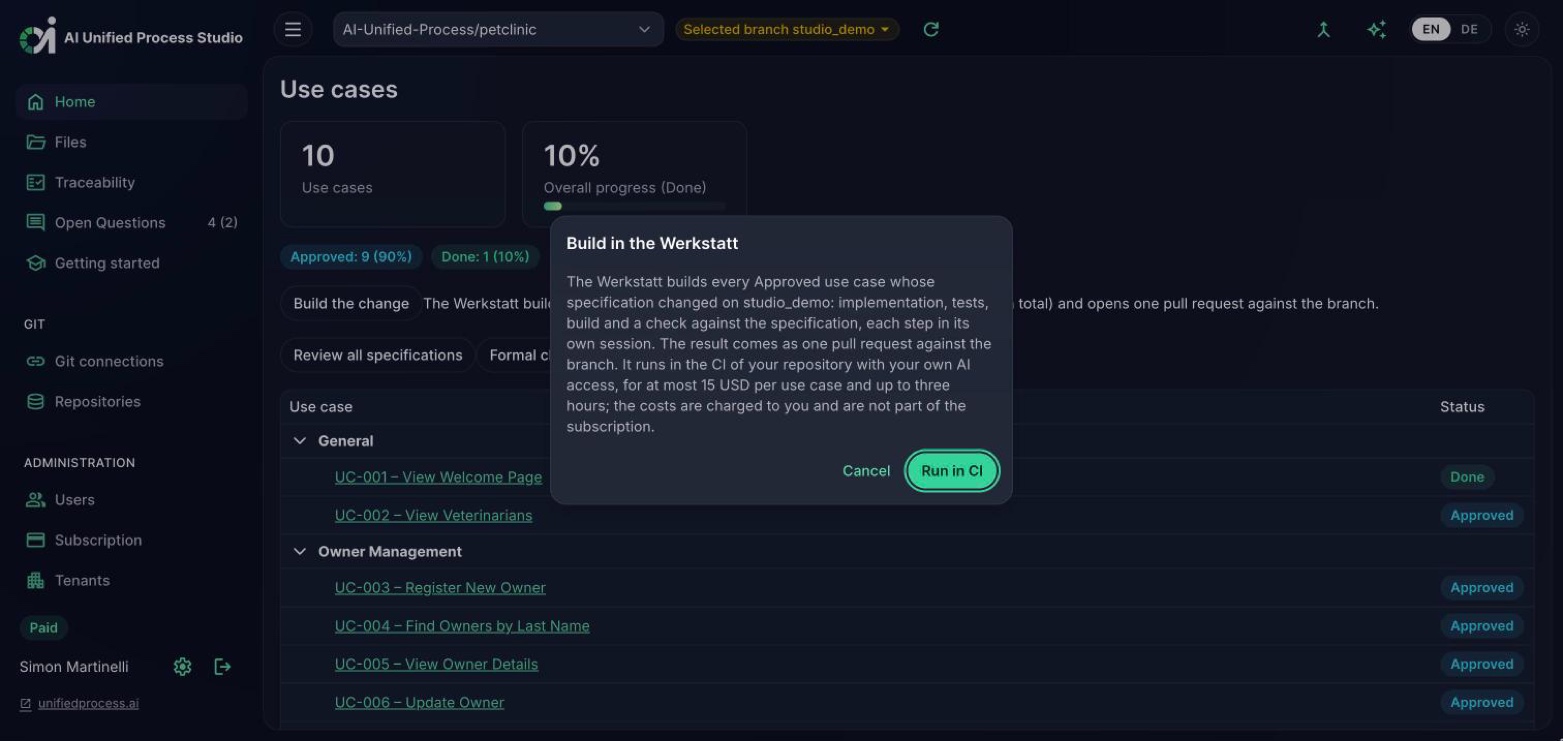
On the start page, "Build the change" builds every approved use case whose specification changed on your branch. For a single approved use case, the next-step panel now recommends the Werkstatt as its first entry, ahead of implementing and testing the use case on their own, which follow as further options.
Before the run starts, the Studio names the change branch as the target of the pull request and the cost limit per use case. After the run it shows the pull request and, per use case, the outcome, the new status, the number of fix rounds, and the cost.
The Werkstatt runs fully on GitHub Actions with headless Claude Code; no extra server is needed. The Studio does these steps for you; without the Studio, they take a few minutes.
A project with the AI Unified Process artifacts and a filled stack file, docs/architecture/stack.md, with Layers and Commands, written by /stack. A project on a combined stack plugin passes it as stack_plugin; without a stack file the Werkstatt falls back to the build tool it finds in the repository root. Allow GitHub Actions to create pull requests under Settings → Actions → General → Workflow permissions.
GitHub starts no workflow for a pull request opened with the job's own token, so without AIUP_PR_TOKEN the pull request arrives without checks, although the Werkstatt's own build gate ran. With a fine-grained token of a machine user (Contents and Pull requests: read and write), your project's CI runs on it. The same secret serves AI generation, so one token per repository is enough.
A thin stub in your repository calls the reusable workflow of the marketplace, released behind the v1 tag. It has one source, the marketplace's aiup-werkstatt-stub.yml; the Studio writes a verbatim copy during its generation setup. Commit it unchanged to the default branch and create the change branches from there: the model, the budget, and the other limits are inputs of the run, not lines of the file. When the stub changes later, merge the default branch into every open change branch.
From the Studio, or by hand on a change branch, with or without use case ids. Without ids, the Werkstatt builds every approved use case whose specification differs from the merge base with the default branch.
| Input | Default | Meaning |
|---|---|---|
| use_cases | empty | Ids to build; empty means every Approved use case whose specification changed on the branch. An id that is not Approved is skipped |
| correlation_id | – | Run id; names the result branch aiup/werkstatt-<id> and the records artifact |
| stack_plugin | empty | A combined stack plugin such as aiup-blazor-dotnet; empty for layer plugins |
| java_version | 25 | Temurin JDK the stations and the build commands run on; empty keeps the runner image's default |
| model | claude-opus-5-5 | Model of every station |
| max_turns | 150 | Turns per station; it stops loops, the cost budget is the real limit |
| max_rounds | 4 | Fix rounds per use case |
| max_cost_usd | 15 | Cost budget per use case |
| timeout_minutes | 180 | Upper limit of the whole run; the stations stop ten minutes earlier |
AI generation, the Run in CI button next to every next step in the Studio, runs one skill and returns its result as a pull request. Building a use case by hand that way, one run at a time, leaves the checking to the reviewer. The Werkstatt chains the steps and checks the result first.
| AI generation (aiup-generate) | Werkstatt (aiup-werkstatt) | |
|---|---|---|
| What runs | One skill on one artifact, from the requirements catalog to tests | The whole construction of a use case: spec lint, implement, test, build, coverage audit, fix rounds |
| Sessions | One | One per station, so no agent grades its own work |
| Checking | By the reviewer | By gates before review; only green use cases carry code |
| Scope | The artifact you start it on | Every approved use case changed on the change branch, or one you name |
| Result | A pull request | One pull request against the change branch, with the status advanced |
| CI | GitHub Actions or Bitbucket Pipelines | GitHub Actions |
| In the Studio | Run in CI, next to the command of every next step | Build the change on the start page, and the recommended first next step of an approved use case |
AI Unified Process Studio writes the specifications, sets up the Werkstatt in your repository, and starts it on your change branch. Request an invitation, or get in touch if you want help setting up the harness for your stack.

